

Seedance 2.5 brings a new level of control to AI video creation, with support for continuous 30-second generation, precise reference control, and flexible editing. It can handle multiple reference assets to help maintain consistency across characters, products, scenes, and visual styles, while its local editing capabilities let you refine specific parts of a video without starting over.
In this guide, we’ll explore what makes Seedance 2.5 unique and show you how to use it on Pollo AI to create polished, professional-quality videos without a costly studio setup.
Why Seedance 2.5 Changes AI Video Generation
Older AI video models forced creators into a tedious loop: generate a short clip, try to upscale it, and awkwardly stitch pieces together. Seedance 2.5 introduces several key technical upgrades that streamline this workflow:
- 30-Second Native Output: Instead of short bursts, it generates a full half-minute in one go. Its temporal attention mechanisms keep characters, lighting, and camera angles consistent from start to finish.
- 50-Reference Capacity: You can feed the model up to 30 images, 10 videos, and 10 audio clips simultaneously. This allows you to upload exact character design sheets, brand color palettes, and lighting mood boards.
- Surgical Local Editing: If you need to change a character’s shirt or swap a background prop, you can edit that specific region without regenerating the entire video and losing your camera movement.
- Native 4K & Clean Renders: The model outputs production-ready 4K assets while actively reducing common AI glitches like character duplication (“multiplets”), unwanted watermarks, and accidental subtitles.
How to Try Seedance 2.5 on Pollo AI for Free
Pollo AI provides a clean, user-friendly interface to test and utilize cutting-edge models like Seedance 2.5. Follow these steps to generate your first professional clip:
Step 1: Select the Seedance 2.5 Model
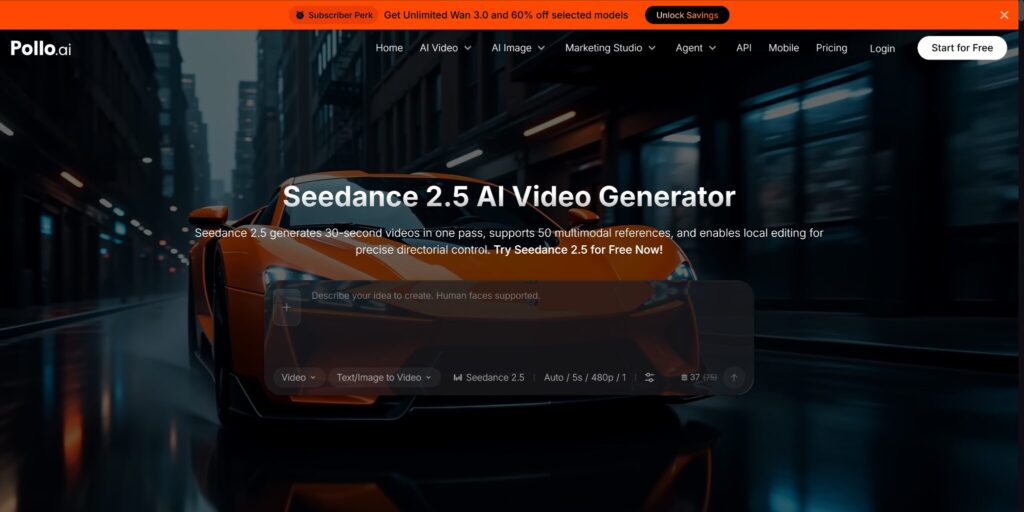
Head over to the Pollo AI app and navigate to the video generation section. Open the model dropdown menu and select Seedance 2.5.
Step 2: Input Your Prompt and Multimodal References
A good video starts with a structured prompt and clear references.
- Write Your Prompt: Be specific about subject actions, camera movements, and lighting. Seedance 2.5 features 20% better prompt accuracy, meaning it handles complex, multi-paragraph instructions very well.
- Utilize References: Upload your reference images, character sheets, or style guides. If you want a specific time-coded action to happen, include that directly in your prompt.
- Set Negative Prompts: Use precise negative prompting to keep your asset clean.
Step 3: Generate, Edit, and Extend
Click Generate and wait a few minutes for the rendering process to complete. Once your base video is ready, review it:
- Need a fix? Use the flexible local editing tool to modify specific elements or subjects in the frame rather than starting over.
- Need more time? Use the seamless video extension feature to extend your clip up to three consecutive times without losing sharpness, color grading, or motion continuity.
- Download your final 4K video directly to your device.
Who Benefits Most from Seedance 2.5?
Creators can leverage Seedance 2.5’s massive reference capacity and length capabilities in specific ways:
- E-Commerce Brands: Generate lifestyle product videos. If you need to show the same product in a different color, use local in-video editing to swap it out while keeping the original model and background intact.
- Social Media Creators: Produce ready-to-post vertical shorts for TikTok and Instagram. Use extensive image references to ensure your AI character looks identical across multiple different video posts.
- Filmmakers & Artists: Build pre-visualization sequences that carry actual narrative weight. The 30-second native generation allows you to map out entire scenes and complex camera movements before stepping onto a physical set.
- Marketing Agencies: Ensure strict brand compliance across client campaigns by locking in visual styles with the 50-reference system, while avoiding copyright risks and celebrity likeness issues.
Best Practices for Better Results
To get the most out of Seedance 2.5 on Pollo AI, keep these optimization tips in mind:
- Leverage Multilingual Support: If your target audience speaks Spanish, Japanese, or English, write your prompts in your target language. Seedance 2.5 features improved multilingual accuracy for more natural narrative phrasing.
- Combine Images and Video Refs: Don’t just rely on text prompts. Pair a static image reference with a short video clip showing the desired camera movement to give the AI a complete blueprint of your vision.
- Utilize Extensions Wisely: If you are building a longer narrative arc, extend your clips sequentially (up to 3 times) to maintain seamless visual flow without introducing blur.
Seedance 2.5 removes many of the historical roadblocks of AI video generation—fixing short clip limitations, inconsistent character appearances, and rigid editing workflows. By running Seedance 2.5 on Pollo AI, you gain access to powerful tools like native 4K output, surgical local editing, and a massive 50-reference capacity right from your browser.