

A fast internet plan does not guarantee a smooth evening online. You can pay for hundreds of megabits and still see a frozen video call, a cloud game that reacts late or a live stream that drops to blurry quality at the worst moment. Real-time services such as video meetings, online multiplayer games, live sports streams and the live dealer tables at Aerobet casino depend less on raw speed than on stable timing. This guide explains what actually matters for real-time apps and how to improve it at home, usually without buying new equipment.
Speed, Latency and Jitter Are Different Problems
Internet speed, or bandwidth, is how much data your connection can carry per second. Latency is how long a single packet takes to travel to a server and back, usually shown as “ping” in milliseconds. Jitter is how much that latency varies from one moment to the next. Streaming a film mostly needs bandwidth, because the player can buffer a few seconds in advance. A video call or a live interactive stream cannot buffer much, so latency and jitter decide whether it feels smooth.
|
Metric |
What it means |
Rough target for real-time apps |
|
Download speed |
Data per second toward your device |
10 to 25 Mbps per HD stream is usually enough |
|
Upload speed |
Data per second from your device |
Important for video calls and streaming yourself |
|
Latency (ping) |
Round trip to a server |
Lower is better; under 50 ms feels responsive |
|
Jitter |
Variation in latency |
A few milliseconds; high jitter causes stutter |
|
Packet loss |
Data that never arrives |
Ideally zero; even 1% is noticeable in calls |
When a speed test shows great numbers but calls still break up, the culprit is almost always latency spikes, jitter or packet loss inside your home network.
Why Live Entertainment Exposes Weak Networks
Live entertainment is the toughest everyday test for home Wi-Fi, because there is no time to hide a problem behind a buffer. In cloud gaming, every button press travels to a remote server and the result comes back as video. In a live sports stream, a spike in jitter forces the player to drop quality.
On an online platform such as Aerobet, which brings together slots, live dealer games, crash games and sports betting in the browser, live tables stream real dealers in real time while the interface tracks timers and results. If the connection hesitates, the picture freezes or the round moves on before the player can react. The same is true of a video interview or an online class. These services work well on ordinary home connections, but only when the network inside the home is stable.
Put the Router Where the Signal Can Travel
Router placement is the cheapest fix and often the most effective. Wi-Fi signals weaken as they pass through walls, floors, metal appliances and aquariums. A router hidden in a cabinet at one end of the house serves the closest room well and everything else badly.
Try to place the router centrally, at roughly chest height, in the open and away from microwaves, cordless phone bases and thick concrete walls. If the internet line enters the house in an awkward spot, a longer cable from the modem to a central router position is usually a better solution than a more powerful router in the wrong place. Point external antennas in different directions, for example one vertical and one horizontal, which helps devices held at different angles.
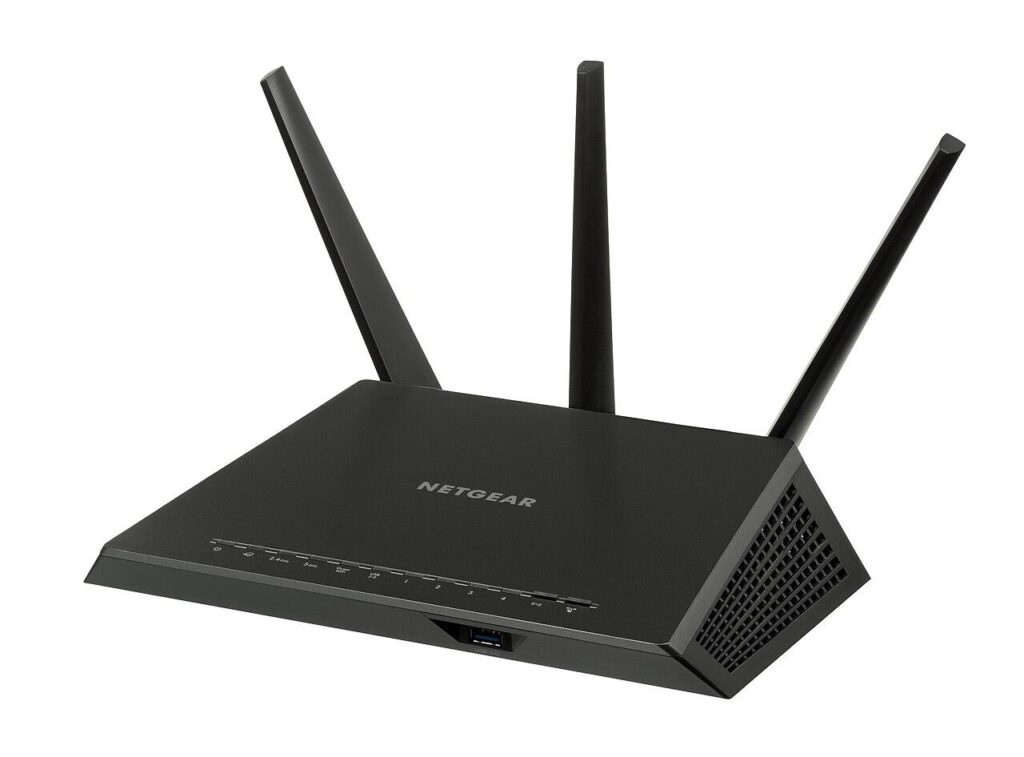
A typical dual-band home router. Placement often matters more than the model. Image: Evan-Amos, Public domain, source: Wikimedia Commons.
Choose the Right Wi-Fi Band
Modern routers broadcast on more than one frequency band, and each has strengths. The 2.4 GHz band reaches further and passes through walls better, but it is crowded, slower and shared with many household devices. The 5 GHz band offers much more capacity and less interference, at the cost of shorter range. Newer Wi-Fi 6E and Wi-Fi 7 routers add the 6 GHz band, which is very fast and clean but works best in the same room or the next one.
A practical approach for real-time apps:
- Connect laptops, consoles and TVs that sit near the router to 5 GHz or 6 GHz whenever possible.
- Leave smart plugs, cameras and other low-bandwidth gadgets on 2.4 GHz, where range matters more than speed.
- Give the bands separate names if your devices keep jumping between them and the connection drops during calls.
- Change the 2.4 GHz channel to 1, 6 or 11 if a Wi-Fi analyzer app shows that neighbors crowd your current one.
Mesh, Extenders or Ethernet
If one router cannot cover the whole home, you have three main options. Simple range extenders are inexpensive, but many of them halve the available speed and add latency, because they receive and retransmit on the same radio. Mesh systems use several units that work as one network and steer devices to the best access point. They are the most convenient choice for larger homes, especially models with a dedicated radio for traffic between the units.
The best option, whenever it is practical, is still a cable. An Ethernet connection removes interference, keeps latency low and stable, and frees up Wi-Fi capacity for phones and tablets. A gaming console, desktop PC or streaming box that never moves deserves a wire. If running cables is impossible, powerline adapters or a mesh system with wired backhaul are reasonable compromises.
When a Cable Makes the Biggest Difference
A wired connection pays off most for the devices that need stable timing and stay in one place:
Manage Traffic With QoS and Smart Queues
Even a strong connection struggles when one device saturates it. A large game download, a cloud backup or someone uploading videos can fill the line, and every other packet then waits in a queue. This effect, called bufferbloat, is why a video call freezes the moment a family member starts a big download.
Many routers offer Quality of Service settings that prioritize certain devices or traffic types. More advanced routers include Smart Queue Management, which keeps queues short for everyone and dramatically reduces latency under load. Enable it if your router supports it and set it to roughly 85 to 95 percent of your measured speeds. Online bufferbloat tests show the effect clearly: compare the latency during a download before and after the change.
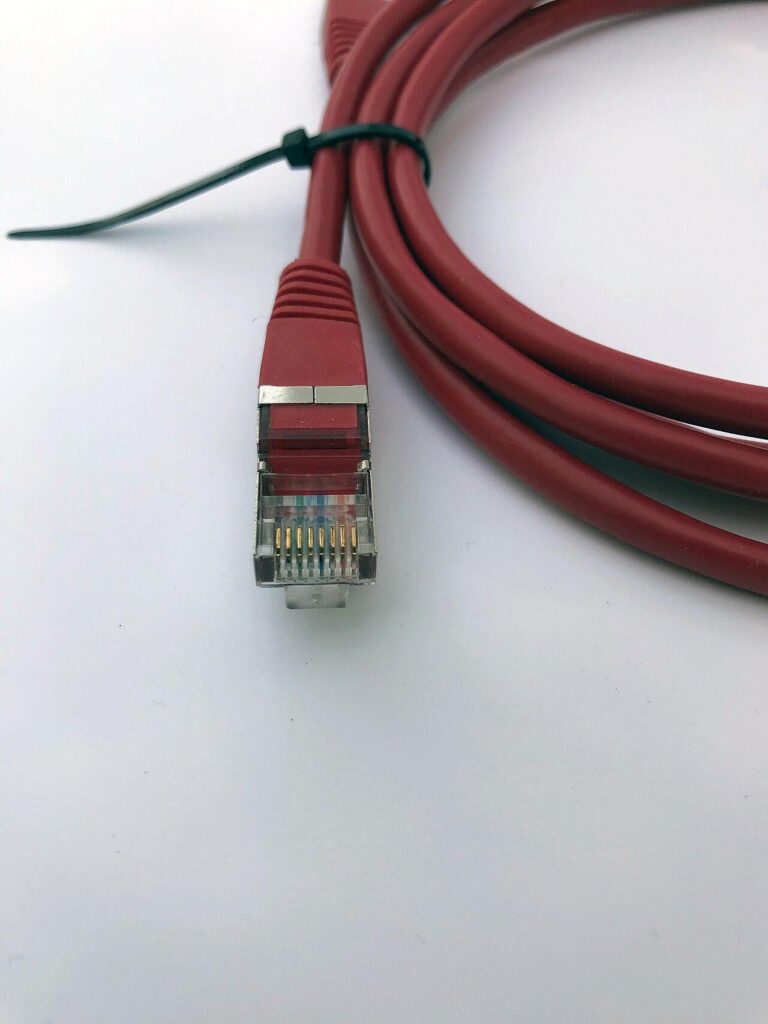
An Ethernet patch cable. For devices that stay in one place, a wire is still the most stable connection. Image: www.heimnetzwerke.net, CC BY 4.0, source: Wikimedia Commons.
Test, Change One Thing, Test Again
Network tuning works best as a series of small experiments. Run a speed and latency test at the spot where you actually use the device, not next to the router. Note download, upload, ping and jitter, and if possible run a bufferbloat test as well. Then change one thing, such as the router position, the Wi-Fi band or a QoS setting, and test again at the same time of day.
It also helps to keep a short log in a notes app. Write down the time, the room, the device and the results of each test. After a few days, patterns appear: perhaps the connection is fine in the morning but jittery at 9 p.m., when the whole neighborhood is streaming, or perhaps one old laptop drags down everyone else. Those patterns tell you whether the fix lies inside your home or with your provider.
Keep your router firmware updated, since manufacturers regularly fix performance and security issues, and restart the router occasionally if it runs for months without a break. Real-time entertainment, from a family video call to a live match or a few hands at an online live table, shows its quality in the details. A home network tuned for stable timing turns those moments from frustrating to effortless.