

An AI-generated image is useful for about as long as you have something to do with it.
That might sound obvious, but it’s an important distinction. If you’re experimenting with anime art, getting one good image can be the whole point. Once you’re working on a comic, building an OC, preparing a series of posts, or developing content for a VTuber, one image quickly turns into ten, then twenty, then a lot more.
And that’s where the gaps between tools start to show. You find a character you like, then need a way to keep using that character. You get a scene right, then want to change one detail without throwing away the rest. You make several versions and eventually want to turn one into a video. The creative process keeps moving, even though the original generation has already finished.
This is why the AI anime workflow is becoming a more interesting problem than generation on its own. The useful question isn’t only whether a model can give you a good starting image. It’s whether the work you do with that image can keep moving forward without creating a new problem at every step.
Platforms such as PixAI are starting to reflect that shift by creating models such as Tsubaki.3 that bring generation, references, editing, and other parts of the creative process into the same workspace.
The first image is only the beginning
The appeal of AI image generation is its speed. You describe something, generate an image, and immediately have something to work with.
But most useful images are not finished at that point. You may want to change an outfit, adjust an expression, try another composition, or create several versions of the same character. Even when the first result is good, it often becomes the starting point for something else.
Image quality still matters, but it only tells you so much about how useful a model will be in a real project. A model can produce a beautiful portrait and still create problems when you ask it to make the next five images for the same project.
For creators, the important question is increasingly what happens after generation. Can you edit it, reuse it, build references from it, or carry it into the next stage without starting over?
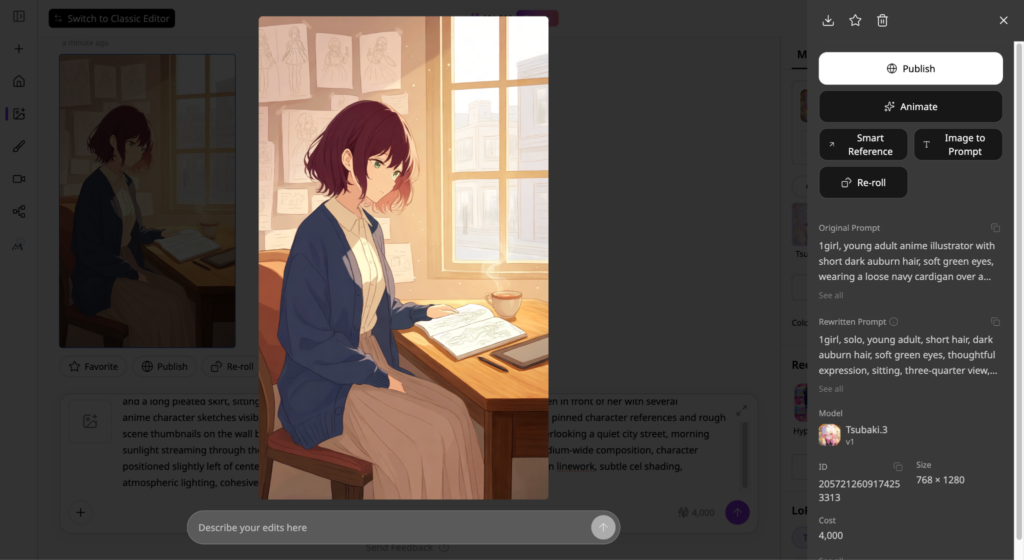
Anime creation is becoming a connected process
A practical AI anime workflow can involve several stages. Most ideas start as an initial image, which then can become a reference.
Once you have a reference image, you can use it to anchor another generation, make edits, and explore different creative directions. The order can change depending on the project, but the underlying principle is the same: Each stage should build on the work completed in the previous one.
If every stage requires you to start again, much of the efficiency gained from AI disappears. Rebuilding that character and scene at every stage quickly eats into the time AI was supposed to save.
For creators working on recurring projects, the workflow around the model can have a major effect on how useful that model actually becomes. Each generation should give the creator something useful to build on. That could mean a character reference, a revised scene, another variation, or a starting point for animation.
For example, through Tsubaki.3, you can use a previous character as a reference and reuse it in a completely different scenario.
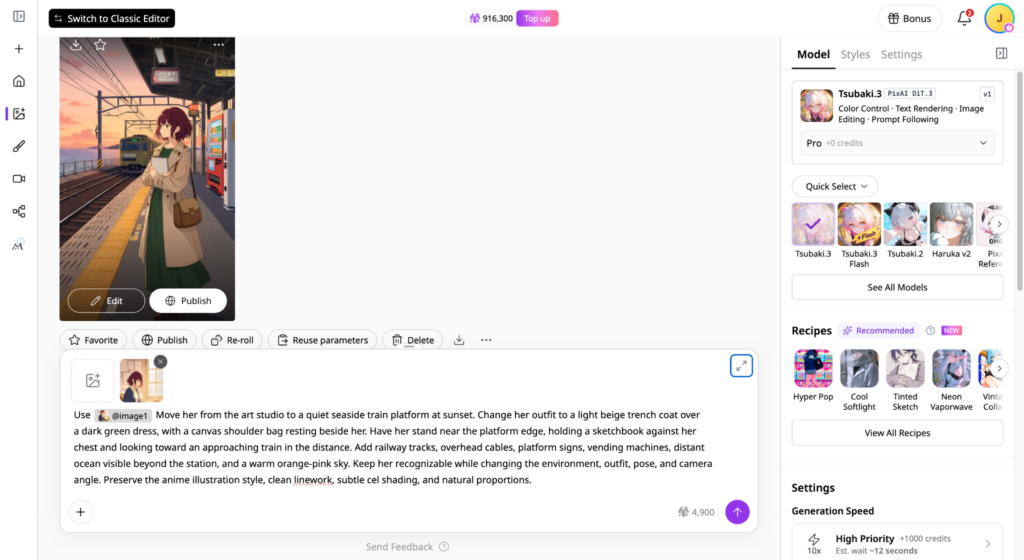
Generation still sets the foundation
The model still sets the quality of the starting point. Its output is still the foundation for everything that follows.
If a model misunderstands the original prompt, later stages inherit that problem. A character may have the wrong features, a composition may miss an important relationship, or a requested detail may disappear entirely. Fixing those mistakes repeatedly can consume more time than the original generation saved.
A next-generation model needs to capture more than a request’s general appearance. It needs to understand the creator’s intent well enough to produce an image that is genuinely useful as a starting point.
Iteration will always be part of creative work. Good workflows simply make those iterations easier to manage. Ideally, each should add something to the project instead of sending you back to fix the same problems again.
Consistency keeps recurring projects together
Generating one attractive portrait of an original character is relatively easy. The challenge begins when that character needs to appear repeatedly in different situations.
An OC might need several outfits and locations. A VTuber may need artwork for a stream announcement, thumbnail, and social post. A comic creator may need the same character across dozens of panels.
If the character changes noticeably whenever the context changes, the creator has to spend time correcting those differences. Once a character appears across multiple pieces of content, consistency becomes part of the day-to-day production work.
Reference-based generation can help by giving later creations a visual foundation to work from. It gives later generations something concrete to build from, so the creator doesn’t have to keep explaining the same character from scratch.
For recurring content, that can cut down the amount of manual cleanup needed after each generation.
Editing turns generation into a creative process
Even a strong generation sometimes needs changes. A good example is when the character looks exactly as intended, but the outfit needs changing.
Perhaps the composition works, but one background element is distracting. Starting over could fix one problem while creating several new ones. AI anime editing gives you room to keep working with an image after it has been generated. A nearly finished character or scene can become the starting point for another round of changes.
That becomes especially useful when the same workflow has to be repeated across a larger project. Generation creates the foundation, while editing gives the creator more control over how that foundation develops.
A good workflow and the right model give you a strong starting image and make the next round of changes easy.
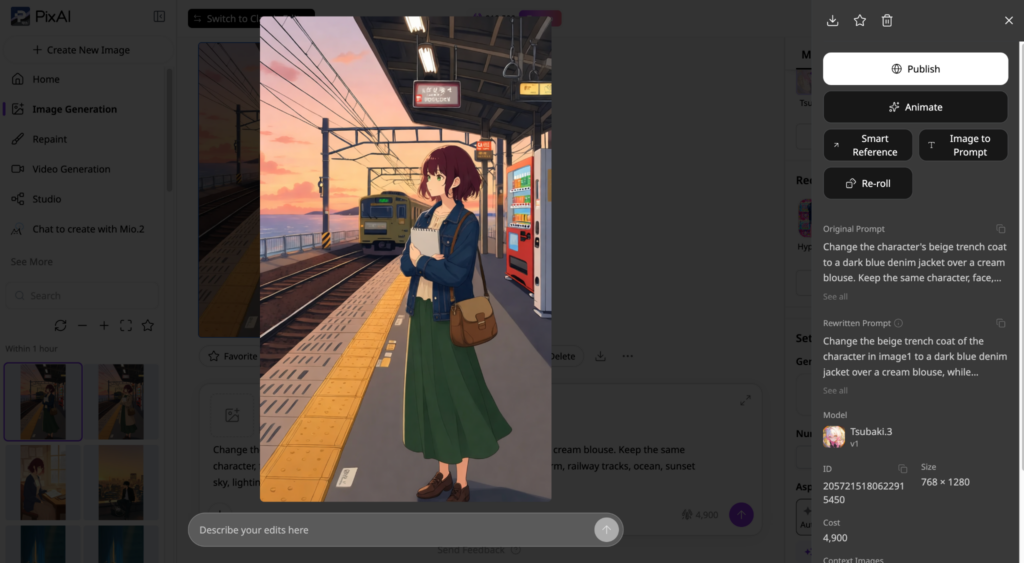
From variations to animation
Once a creator has established a character and visual direction, experimentation becomes another important part of the process.
You may want several compositions for a campaign, different environments for a story, or multiple versions of the same character for social content. You want to explore new directions without losing the parts of the original concept that already work.
This is where variations become useful. A good variation keeps enough of the original idea intact to make the new result feel connected to the project.
The workflow can eventually extend beyond static images. Anime artwork may become a short social video, promotional clip, or animated character moment. Image-to-video becomes much easier to manage when the existing artwork can carry useful context into the animation stage.
The finished image can now serve as the starting point for another stage of production.
Where Tsubaki.3 fits
Tsubaki.3 fits into this workflow as the generation layer. The model is built to handle detailed instructions, character intent, composition, and style, giving creators a stronger starting point for the work that follows.
That starting point matters because an image rarely stays in its original form for long. A character might need a different outfit, a new setting, another expression, or several variations for the same project. The more accurately the initial generation reflects the creator’s idea, the easier it becomes to carry that idea into those later stages.
This is also where Tsubaki.3 makes more sense as part of PixAI and the node-based PixAI Studio rather than as an isolated model. A creator can take the generated image into the wider workflow, using references, editing, and variations to continue developing the same project. The model handles the initial generation, while the surrounding tools give that image somewhere to go.
A simple way to test this is to start with a real project rather than a showcase prompt. Generate a character, move them into a different setting, make a targeted edit, and create another variation. Look at how much of the original character and creative direction carries through the process. That tells you more about the model’s practical value than a single polished image.
The platform becomes part of the workflow
PixAI places image generation alongside tools and workflows for references, editing, character creation, and image-to-video production. Different creators will need different tools, but keeping several stages of a project in one environment can reduce the repetition that comes with moving between services.
That becomes particularly relevant for creators producing recurring work. For a one-off illustration, switching between tools may be perfectly manageable.
On the flip side, a creator developing an OC over several months has a much larger workflow to maintain. They may be generating new outfits, expressions, environments, promotional images, and eventually animated content around the same character.
When a workflow repeats dozens or hundreds of times, small amounts of friction add up. Over dozens of projects, avoiding those extra handoffs can save a surprising amount of time.
Put the workflow to the test
Running the same prompt across several models can show you how their outputs compare. Try the kind of project you would genuinely use the tool for. You start seeing the practical problems once the workflow has to handle several stages.
Pay attention to what happens when you move from one stage to the next. If an edit requires rebuilding the character or moving everything into another service, that friction becomes part of the workflow.
Can the model understand detailed instructions? Does the character remain recognizable? Can you make corrections without losing what already works?
These questions matter more as AI moves from experimentation to repeatable creative production.